

We are a digital agency helping businesses develop immersive, engaging, and user-focused web, app, and software solutions.
2310 Mira Vista Ave
Montrose, CA 91020

2500+ reviews based on client feedback
What's Included?
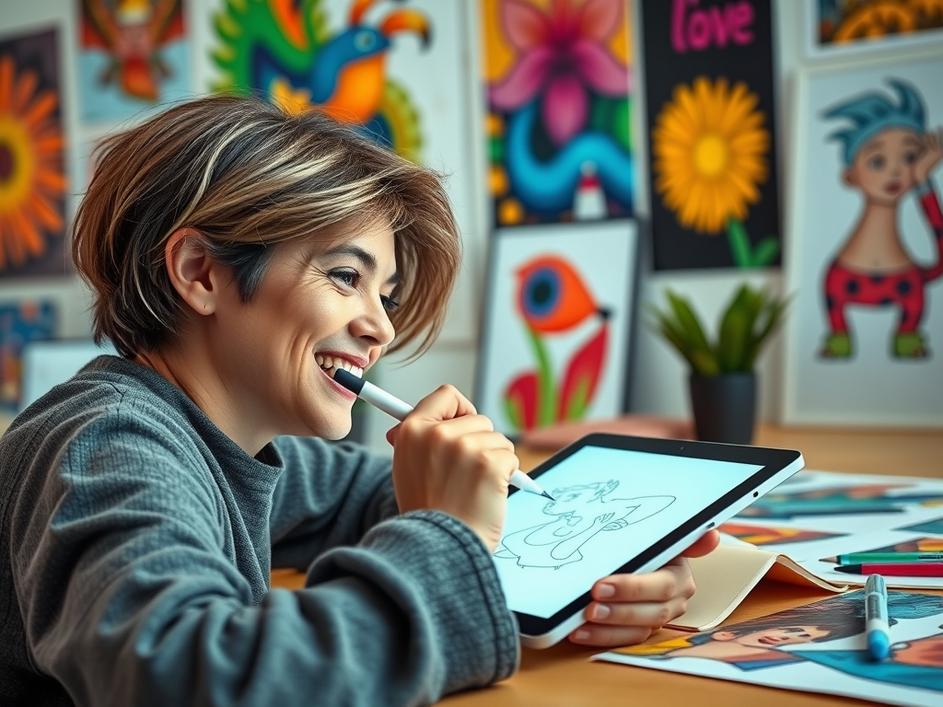
ToggleThe iPad. It started as a bigger iPhone, a device for consuming content. But over the years, it’s evolved into something much more. Now, it’s a legitimate creative tool, especially for artists, designers, and anyone who wants to express themselves digitally. Why? Because it’s portable, intuitive, and has a fantastic app ecosystem.
Let’s talk about drawing. Procreate is king here. It’s a powerful illustration app that feels surprisingly natural. The Apple Pencil support is excellent, providing pressure sensitivity and tilt recognition. You can create everything from simple sketches to intricate paintings. Then there’s Adobe Fresco, which tries to mimic real-world painting with its live brushes. Imagine watercolor that actually blends and bleeds like the real thing. These apps let you experiment without wasting materials or making a mess. What’s more is, they make it so easy to undo a stroke, change the color palette, or copy an element from one section to another. This ease of use makes it a great platform for experimenting with styles and techniques.
The iPad isn’t just for painters, though. Affinity Designer is a fully-fledged vector design application, basically a mobile alternative to Adobe Illustrator. It’s excellent for creating logos, icons, and other graphics. And for photo editing, there’s Affinity Photo. It packs a surprising amount of power, rivaling even desktop applications like Photoshop. The ability to work with layers, masks, and complex adjustments on a tablet is pretty incredible. I found that having a dedicated app specifically for the iPad, unlike the scaled-down mobile apps of larger software ecosystems, means that you can take full advantage of the form factor and specific processing power of the iPad.
For musicians, GarageBand is a solid choice, especially since it’s free from Apple. It’s a surprisingly capable digital audio workstation (DAW) that lets you record instruments, create loops, and mix tracks. But if you want something more advanced, check out Cubasis. It’s a professional-level DAW with a steeper learning curve, but it offers more features and flexibility. Being able to create music on the go without hauling around heavy equipment is a big win. The fact that these apps keep getting better and better with each iteration also means that more and more creative professionals adopt the iPad as a serious tool in their overall workflow.
Video editing on an iPad? Absolutely. LumaFusion is a popular choice for mobile video editing. It offers a multi-track timeline, color correction tools, and plenty of effects. It’s surprisingly powerful for a tablet app. If you are a vlogger or content creator who needs to quickly edit videos on the go, the iPad, combined with an app like LumaFusion, can be a lifesaver. Not only is it portable, but it is a dedicated device that is only ever used for creating content. This reduces distractions and allows you to focus on what you are doing.
What makes the iPad so appealing for creative work? It boils down to simplicity and portability. You can take it anywhere and start creating. There’s less friction compared to setting up a desktop computer with a drawing tablet or lugging around a heavy laptop. The touch interface and Apple Pencil create a more direct and intuitive connection to your work. And let’s not forget the apps. The iPad’s app store is filled with high-quality creative tools that are constantly being updated and improved. The combination of hardware and software makes the iPad a compelling choice for both amateur and professional creatives.
Finding the perfect creative apps for your iPad is a personal journey. What works for one person might not work for another. It depends on your specific needs, workflow, and artistic style. Don’t be afraid to experiment with different apps and see what resonates with you. Many apps offer free trials or basic versions, so you can test them out before committing to a purchase. Read reviews, watch tutorials, and ask for recommendations from other creatives. The goal is to find tools that empower you and help you bring your creative visions to life. I’ve tried a bunch of different apps, and there are a few, like Procreate, that seem to be standard, but there are always new apps on the market that you may find that you just like more. That is why experimenting with different apps is important.
It’s important to remember that the iPad is a tool, not a replacement for traditional art skills or professional desktop software. It’s a complement. It’s a way to explore ideas, sketch out concepts, and create art on the go. It’s not going to magically turn you into a master artist, but it can help you develop your skills and express your creativity in new and exciting ways. The best thing I have found with using the iPad is the fact that it is really a frictionless tool. It’s quick to pick up, quick to use, and the apps are relatively inexpensive. This lets you be a little more impulsive and free in your explorations, which may be just what you need to unlock your creative block.
The iPad’s role in creative fields will only continue to grow. As the hardware gets more powerful and the software gets more sophisticated, we can expect to see even more innovative and exciting creative tools emerge. The lines between mobile and desktop workflows will continue to blur, giving creatives more flexibility and freedom than ever before. The iPad is not just a consumption device anymore; it’s a powerful creative platform that’s changing the way people create art, design, music, and video.
So, if you’re looking for a way to tap into your creativity, consider the iPad. It’s a versatile and accessible tool that can help you explore your artistic potential. With the right apps and a little practice, you might be surprised at what you can create. Just remember to have fun and enjoy the process of making something new. After all, that’s what creativity is all about.

Comments are closed