

We are a digital agency helping businesses develop immersive, engaging, and user-focused web, app, and software solutions.
2310 Mira Vista Ave
Montrose, CA 91020

2500+ reviews based on client feedback
What's Included?
ToggleSwitching operating systems can be a daunting task, especially for users deeply ingrained in the Windows ecosystem. It’s not just about learning new software; it’s about adjusting to a different way of thinking about how a computer works. And while Linux offers incredible flexibility and power, that initial learning curve can be steep enough to deter many potential converts. One of the biggest hurdles? The desktop environment. People get used to how things look and feel, and changing that can be surprisingly jarring.
For a lot of people, the Graphical User Interface (GUI) *is* the operating system. They don’t delve into the command line or tweak system settings. They interact with their computer through icons, windows, and menus. So, when you tell someone to switch to Linux, and then present them with a drastically different desktop experience, it’s like asking them to learn a new language overnight. It’s about user experience, the thing people remember after using a product or a service. If it’s bad, the chances of coming back are slim.
Ubuntu is a popular and widely recommended Linux distribution, and for good reason. It’s stable, well-supported, and has a large community. But the default GNOME desktop environment in recent versions of Ubuntu isn’t necessarily the most intuitive for Windows users. The workflow, the placement of buttons, the overall aesthetic – it’s all different enough to cause confusion and frustration. This isn’t to say that GNOME is bad. It’s a matter of preference, and some people love it. But for someone coming from Windows, it’s often a bit too much of a leap.
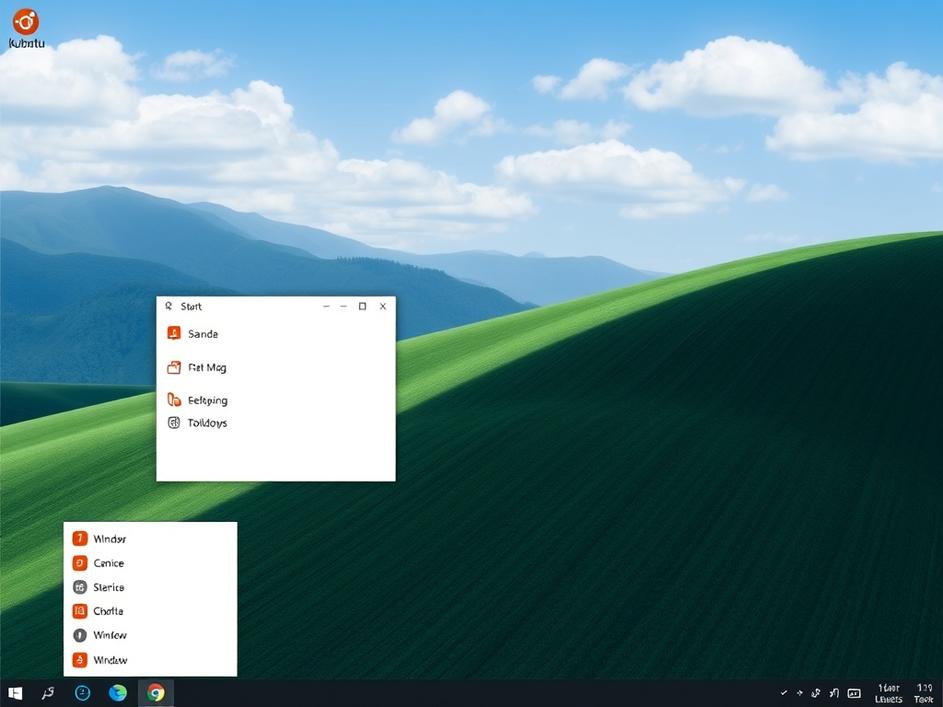
That’s where Kubuntu comes in. Kubuntu is an official flavor of Ubuntu that uses the KDE Plasma desktop environment. Plasma is highly customizable, and it can be configured to look and behave very similarly to Windows. The taskbar is at the bottom of the screen. The start menu (or application launcher) is in the lower-left corner. The window controls (minimize, maximize, close) are in the upper-right corner. These small similarities can make a huge difference in the user’s initial experience. And because Kubuntu is still Ubuntu, you get all the benefits of Ubuntu’s stability, support, and software availability.
Of course, Kubuntu isn’t the only option for Windows converts. Zorin OS is another distribution specifically designed to look and feel like Windows, making the transition as smooth as possible. Linux Mint Cinnamon is another option that offers a familiar desktop layout and a user-friendly experience. The point is, there are plenty of Linux distributions and desktop environments that cater to users who want a Windows-like experience. And these options should be highlighted more often when recommending Linux to newcomers.
One of the great things about Linux is its customizability. Even if a particular distribution doesn’t look exactly like Windows out of the box, it can usually be tweaked and configured to do so. Desktop environments like KDE Plasma are incredibly flexible, allowing users to change everything from the color scheme to the window manager. This level of customization is simply not available in Windows, and it’s one of the things that makes Linux so powerful. It would be advantageous if people take advantage of Linux’s flexibility.
While a familiar-looking desktop environment can ease the transition to Linux, it’s important to remember that it’s not the only factor. New users also need to learn about package management, file systems, and other fundamental aspects of the operating system. But by making the initial experience less intimidating, we can encourage more people to explore the world of Linux and discover its many benefits. Focusing on the GUI will lower the entry barrier.
Ultimately, the success of Linux depends on making it accessible to everyone, regardless of their technical expertise. By recommending distributions and desktop environments that cater to Windows users, we can help bridge the gap and bring the power and flexibility of Linux to a wider audience. A friendly first impression is worth a thousand lines of code. It’s about meeting users where they are, and then gently guiding them on their Linux journey.



Comments are closed