

We are a digital agency helping businesses develop immersive, engaging, and user-focused web, app, and software solutions.
2310 Mira Vista Ave
Montrose, CA 91020

2500+ reviews based on client feedback
What's Included?
TogglePC gaming has always been about pushing boundaries. We want better graphics, smoother frame rates, and more immersive experiences. But achieving peak performance in modern games is a tricky puzzle. The days of simply cranking up the settings and hoping for the best are long gone. Today’s games use complex technologies like DirectX 12 and Vulkan, asynchronous compute, ray tracing, temporal reconstruction, and even frame generation. So, how do developers (and even us enthusiasts) make sense of it all? That’s where tools like NVIDIA Nsight Graphics come into play.
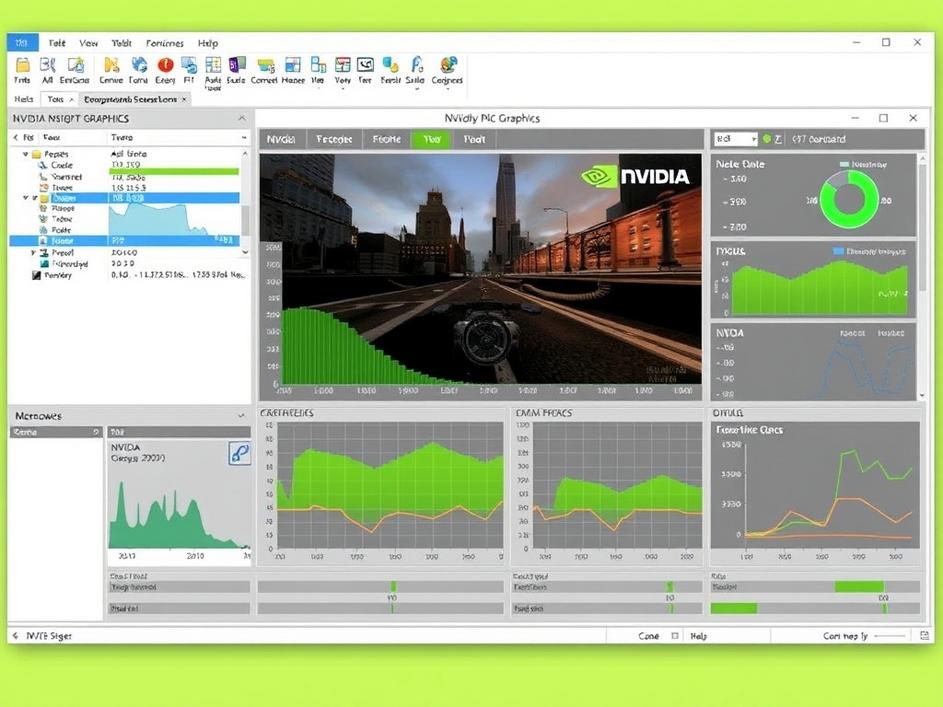
NVIDIA Nsight Graphics is a powerful tool designed to help developers analyze and optimize the performance of their games. Think of it as a debugger, but instead of finding code errors, it helps you pinpoint performance bottlenecks. It allows you to step through individual frames, examine draw calls, and see exactly how the GPU is being utilized. This level of insight is invaluable for identifying areas where performance can be improved. It’s not just for developers either; technically inclined gamers can also use it to understand how their system is handling a particular game, albeit with a steeper learning curve.
The complexity of modern graphics APIs like DirectX 12 and Vulkan is a double-edged sword. On one hand, they offer developers more control over the hardware, which can lead to significant performance gains. On the other hand, this control comes with increased responsibility. Poorly optimized code can easily lead to performance bottlenecks that are difficult to diagnose without the right tools. Features like asynchronous compute, where different parts of the GPU work on different tasks simultaneously, add another layer of complexity. And with the rise of ray tracing, which is incredibly demanding on hardware, understanding how your game is utilizing these resources is crucial.
Nsight Graphics provides a wealth of information beyond just frame rates. It allows you to dive deep into the GPU’s activity, showing you how much time is spent on different tasks like rendering, shading, and compute. You can analyze individual draw calls to see which objects are the most expensive to render. The tool also offers insights into memory usage, which is especially important for avoiding performance-killing stutters. With frame generation technologies becoming more widespread, Nsight Graphics can even assist in analyzing the latency introduced by these techniques.
Understanding these metrics is crucial for identifying the root cause of performance issues. Is the game bottlenecked by the CPU, the GPU, or perhaps even memory bandwidth? Nsight Graphics can help you answer these questions and guide you towards effective solutions.
As PC games continue to push the boundaries of visual fidelity and technological innovation, tools like NVIDIA Nsight Graphics will only become more important. The ability to deeply analyze and understand game performance is no longer a luxury, it’s a necessity. Both for developers striving to deliver the best possible experience and for gamers wanting to ensure their systems are running optimally.
The increasing complexity of hardware and software means optimization needs to be more sophisticated than ever before. Knowing how to use these tools will be a valuable skill for anyone involved in the PC gaming ecosystem. It empowers developers to create better-performing games and enables enthusiasts to get the most out of their hardware.
Thinking about using Nsight Graphics can feel daunting. There is much to consider before diving in, but once you get past the initial learning curve the advantages become apparent. It’s important to focus on the areas you want to improve when you go to analyze. Are you looking to improve resolution, increase frame rate, reduce stuttering, or all of the above? These are important goals that can be achieved using Nsight. While it seems like a steep learning curve to start, once you have a grasp of what you are looking at, and for, it can truly impact the way you view and interact with gaming, and game creation in general.
Tools like NVIDIA Nsight Graphics represent a significant leap forward in how we approach PC game optimization. They allow developers to see behind the curtain, understand the intricate workings of their games, and identify areas for improvement. By providing this level of insight, these tools not only lead to better-performing games but also empower developers to explore new and innovative techniques. The future of PC gaming is bright, and with the help of these advanced profiling tools, we can expect even more impressive and immersive experiences in the years to come. It’s exciting to think about what developers will achieve as they continue to push the boundaries of what’s possible.
Ultimately, the biggest benefit of tools like NVIDIA Nsight Graphics is the knowledge they provide. By understanding how your game is performing at a granular level, you can make informed decisions about how to optimize it. Whether you’re a developer looking to squeeze every last drop of performance out of your code or an enthusiast trying to fine-tune your system for a specific game, the insights gained from these tools are invaluable. In a world where performance is paramount, having the right tools and the knowledge to use them is the ultimate advantage.



Comments are closed